QR Code Marketing: How to Make QR Codes People Scan
QR code marketing for print: static vs dynamic codes, print rules, calls to action, landing pages and scan tracking per placement, with a pre-print checklist.
4 min readFortuners Team
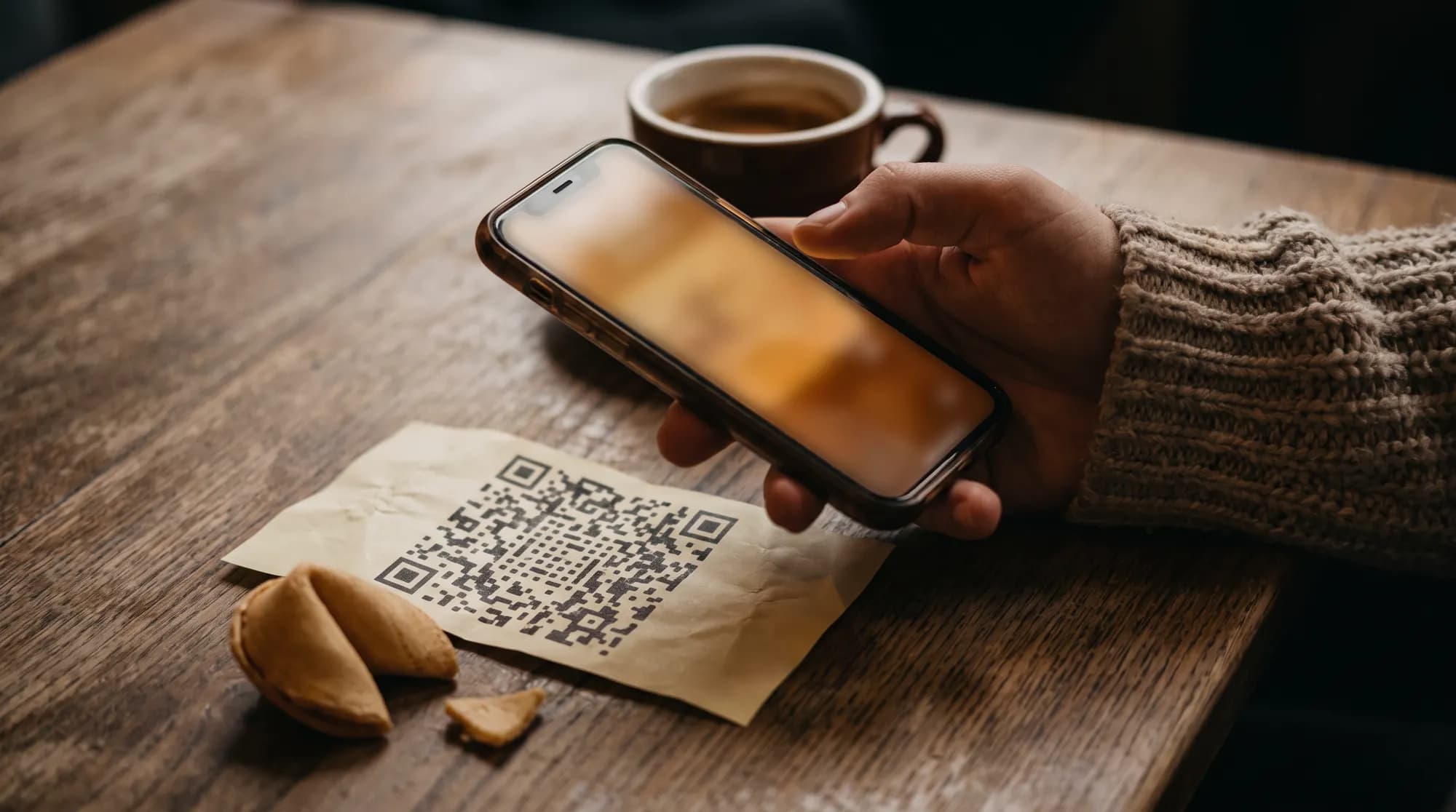
QR code marketing works when a code sits in the right place, promises something specific and leads to a page that delivers it. Getting there takes six steps: choose a static or dynamic code, build the landing page first, add UTM parameters to the address, generate the code as a vector file, put a clear call to action next to it, and test the print on several phones. The generator is the smallest part of the job. Print quality, the message beside the code and what people see after scanning decide whether it works. Below you'll find each step from a marketer's point of view, a UTM naming example, security basics and a checklist for the last check before files go to the printer.
When a QR code is worth printing
A QR code asks people to stop, take out their phone and point the camera. That's a lot to ask of someone walking past, and very little to ask of someone sitting down with time on their hands. Codes tend to earn their place in marketing when three things are true:
- The person has a moment and a phone within reach: at a café table, in a waiting room, on a train, with a product in their hand.
- There's a next step that's easier online than offline: booking a slot, claiming a code, choosing a date, installing an app, leaving a review. For a restaurant example, see our guide to the QR code for Google reviews.
- You want to know which placement brought people in. A code is one of the few offline formats you can count precisely, placement by placement.
Where they struggle: billboards seen from a moving car, busy corridors, anywhere people have no reason or time to stop. There, a short, memorable web address usually beats a code.
Static vs dynamic QR codes
A QR code is a string of characters, usually a web address, encoded as a pattern. The difference between the two types is what gets encoded.
| Static QR code | Dynamic QR code | |
|---|---|---|
| What it contains | the final web address | a short address on the provider's server that redirects onward |
| Changing the destination after printing | not possible | possible in the provider's dashboard |
| Scan statistics | none (you only see visits in your website analytics) | number of scans, time, approximate location, device type |
| Pattern | denser with a long address | simpler, because the redirect address is short |
| Dependence on the provider | none | total: if the redirect stops working, so does the code |
| When to choose it | a fixed address, a small print run, no need for statistics | campaigns, many placements, testing variants, large print runs |
The risk of dynamic codes is easy to miss. A printed code routes every scan through the servers of the company that generated it. If your plan expires, the pricing changes or the provider closes the service, thousands of flyers can start leading nowhere. Before you order the print run, read what the terms say about codes after a paid plan ends.
How to create a QR code for a campaign, step by step
- Decide on one action. Book a class, reserve a table, claim a discount code, download an app. One code, one goal.
- Build the landing page first, then the code. A code that leads to your home page instead of the offer wastes the attention of someone who is already interested.
- Build the address with UTM parameters for each placement or format (example below).
- Choose a generator. Check that it exports a vector file (SVG, EPS or PDF), adds no watermark or ad before the redirect, and handles scan data responsibly, because that's data about your audience too.
- Set the error correction level. QR codes have four levels (L, M, Q and H). According to DENSO WAVE, the company that created the QR code (opens in a new tab), they let a code be read even when roughly 7% to 30% of its data is damaged or covered. A higher level makes the pattern denser, so use it when the code may get dirty or you want to add a logo.
- Place the code in the design without distorting it. Scale it proportionally, don't stretch it, and don't round the modules so much that the gaps between them disappear.
- Print a proof on the final material and test it (details in the checklist at the end).
QR code best practices for print: size, contrast, quiet zone
Quiet zone. The code needs an empty, light area around it. DENSO WAVE's guidance (opens in a new tab) says the margin should be at least four modules wide on every side, a module being the smallest square in the code. A designer who pushes the code up against a frame or a photo can ruin an entire print run.
Contrast. A dark code on a light background is the safest choice. Brand colours are fine as long as the difference in brightness is clear. Avoid gradients, photos behind the code and inverted colours (a light code on a dark background), because not every camera app handles them.
Size. Treat the size tables you find online with caution. They're rules of thumb, not part of the standard. The minimum size depends on the number of modules (a longer address means a denser code), print quality and the distance people scan from. Instead of guessing, print the code at its final size and scan it from where your audience will actually stand or sit. A short address helps: at the same code size, the modules get bigger.
Surface and placement. Situations where codes often fail:
| Format | What to watch out for |
|---|---|
| Folded flyer | a code on the fold stops reading |
| Poster in a shop window | glare from the glass and scanning at an angle from the pavement |
| Table sticker | wear, dirt and dim light in the evening |
| Packaging, cups, bottles | a curved surface distorts the pattern |
| A small slip, such as one inside a custom fortune cookie | little space, so a short address and good print quality |
| Formats people pass while moving | not enough time to scan; a short, memorable address works better |
The call to action next to the code
People don't scan codes out of curiosity. They scan when they know what they'll get and how long it will take. A good call to action has three parts: a verb, a benefit and a limit (a deadline, limited spots, a single use).
Examples:
- "Scan to book your free first lesson"
- "Scan and book a table for Friday in 30 seconds"
- "Scan for a free first bike service, valid until the end of October"
- "Scan to see flats with a balcony overlooking the park"
Also say what people don't have to do: "no app to install", "no account needed". Under the code, print a short web address for anyone who can't or won't scan.
Here's how the whole package can look in a small space, where every word counts:
This autumn you'll learn the step you've been thinking about.
Scan to pick a time.
A code on a slip someone holds at a café table works in a completely different situation from a code at a bus stop: the person is sitting down, has a moment and has a phone at hand. For more on matching the format to the place and the moment, see our ambient marketing guide.
The landing page: mobile, fast, one action
The scan is only half the journey. The landing page should:
- load quickly on a phone over mobile data, including when the signal inside a venue is weak,
- repeat the promise from the printed material on the first screen ("First lesson free"), so people know they're in the right place,
- lead to one action, with a form cut down to the fields you really need,
- work without logging in or installing an app,
- use a recognisable HTTPS address, ideally on your brand's domain.
GDPR. If the page collects a name, email address or other contact details, people must receive the information the GDPR requires, including who the data controller is, the purpose and legal basis of processing and how long you keep the data. Marketing consent should be a separate checkbox, not ticked by default. Making the offer conditional on it undermines whether consent is freely given, so it's best avoided.
Cookies. In Poland, Article 399 of the Electronic Communications Law (opens in a new tab) (in Polish) requires the user's consent for cookies that aren't strictly necessary to provide the service, which usually includes analytics and marketing cookies. In practice that means two things. First, the consent banner shouldn't cover the offer on a small screen so much that people give up. Second, visits in your analytics will be lower than scans in the code statistics, because some people won't consent. That's normal, so don't treat the gap between the two numbers as a measurement error.
How to track QR code scans: UTM tags and one code per placement
UTM parameters are tags added to the end of a web address that tell your analytics where a visit came from. Without them, scans often show up as direct traffic, and a poster looks the same as someone typing your address. In its Analytics help centre (opens in a new tab), Google says you should always use three of them: utm_source, utm_medium and utm_campaign. A fourth, utm_content, is useful for creative variants.
An example for a campaign in three venues with two call-to-action variants:
https://yourbrand.pl/autumn?utm_source=bistro-zoliborz&utm_medium=print-table&utm_campaign=autumn-2026&utm_content=cta-book
| Parameter | What it records | Example values |
|---|---|---|
| utm_source | the specific placement | bistro-zoliborz, cafe-powisle, gym-wola |
| utm_medium | the type of format | print-table, poster, flyer |
| utm_campaign | the campaign and period | autumn-2026 |
| utm_content | the creative variant | cta-book, cta-free |
A few rules keep the data clean: lowercase only, no spaces or special characters (Polish letters included), and one list of allowed values agreed in a spreadsheet before printing. Keep a code register in the same sheet: ID, placement, full destination address, print date and quantity. After the campaign, you'll know exactly which code was where.
A separate code for each placement costs no more than one shared code, and it shows which placement works and which one just eats budget. Keep in mind, though, that a scan isn't a customer yet. To connect scans with sales, add a discount code that gets recorded at the till or in the form. Our guide to offline marketing attribution shows how to build the full measurement system around it.
That's how measurement works in Fortuners campaigns: every campaign has its own QR code and promo code, and scans from each venue appear in the panel, day by day and hour by hour. You can see it with sample data in the panel demo.
Security: fake QR codes and trust
QR code scams have their own name: quishing. A fraudster plants a code that leads to a fake page, for example a bank or payment page, often by sticking it over a genuine one. You can't tell where a code leads by looking at it, which is why the US Federal Trade Commission warns that scammers hide harmful links in QR codes (opens in a new tab) and advises checking the web address before opening it. In Poland, the government's knowledge base article on quishing (opens in a new tab) (in Polish), which includes a CERT Polska warning, gives similar advice: scan codes only from trusted sources and check the page after scanning.
For a brand, this means careful people will ask themselves: can I trust this code? Help them:
- send people to your own, recognisable domain and print that address under the code so it can be compared,
- don't ask for a login or card details straight after the scan,
- print the code directly on the material instead of adding a sticker to a finished print, because stickers are easier to swap,
- check materials in public places while the campaign is running,
- avoid anonymous link shorteners that hide the final address.
Pre-print checklist
QR code ready for print
- The code's goal is described as one action
- The landing page works on a phone and repeats the promise from the printed material
- Privacy notice and a separate marketing consent checkbox in the form
- Address with UTM parameters recorded in the code register
- Generator terms checked: what happens to a dynamic code when the subscription ends
- Code file in vector format (SVG, EPS or PDF), not distorted
- A quiet zone of at least four modules on every side
- Dark code on a light, even background
- Code away from folds, trim edges and glossy areas
- Call to action and a short web address next to the code
- Printed proof scanned with several phones (iPhone and Android) from a realistic distance and in dim light
- A separate code for each placement if you want to compare results
The QR code is the cheapest part of a campaign, but it can easily waste everything around it: the placement, the creative and your audience's attention. Fifteen minutes spent testing a proof and checking the page on a phone is the best time you'll spend before going to print.
Frequently asked questions
Can a QR code stop working?
A static QR code works for as long as the web address stored in it works. A dynamic QR code sends people through the provider's server first, so it can stop redirecting when your subscription ends or the provider shuts down. Before printing, read the generator's terms, or use a static code with a short address on your own domain that you control.
How do I make a QR code for free?
Many online generators and design tools create static QR codes at no cost. Pick one that lets you download a vector file (SVG, EPS or PDF) and doesn't add a watermark. Providers usually charge for dynamic codes, which let you edit the destination and see scan statistics, once you go past a free allowance.
What size should a QR code be on a flyer?
There's no single number that fits every job. The right size depends on how much data the code holds (a longer address means a denser pattern), print quality and the distance people scan from. Print the code at its final size on the final paper, test it with several phones from a realistic distance, and leave a clear margin around it.
Can I put a logo in the middle of a QR code?
Yes, because QR codes have built-in error correction and still read when part of the pattern is covered. Choose a higher error correction level, cover as little of the code as possible, keep the three large squares in the corners clear, and test the printed result on several phones.
How do I track how many people scanned my QR code?
There are two ways: scan statistics from a dynamic QR code provider, or UTM parameters in the destination address, which show visits in your website analytics. Combining both gives the fullest picture, because analytics can't see visitors who decline cookies.